Authentication
Send your key on every request:
X-API-Key: sqa_…Store it encrypted, never in source code or a browser.
Permissions
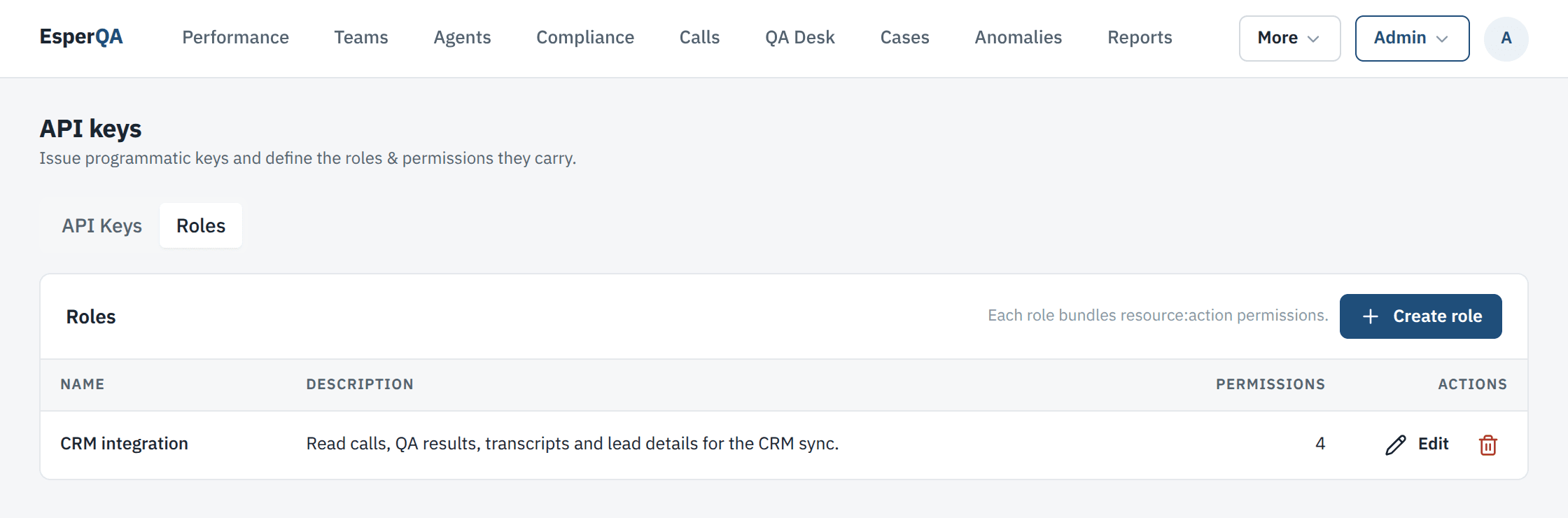
Section titled “Permissions”A key holds the permissions of its roles. Create one role per system and grant only what that system reads. Roles live under Admin → API Keys → Roles.
| Permission | Unlocks |
|---|---|
| any valid key | GET /meta |
calls:read |
/calls, /calls/changes, /calls/{call_id} |
qa_results:read |
/calls/{call_id}/evaluation, /calls/{call_id}/review, /performance/*, /facts/*, /coaching-cases, /directory/qa-rules |
transcripts:read |
/calls/{call_id}/transcript |
recordings:read |
/calls/{call_id}/recording |
leads:read |
/leads/details, customer phone numbers on calls and the phone search on /calls |
employees:read |
/directory/employees, /directory/dialer-mappings |
teams:read |
/directory/teams |
campaigns:read |
/directory/campaigns |
dialers:read |
/directory/dialers, /directory/disposition-codes |
leads:read covers personal data (customer phone, name, address, age). Without it, calls
still come back, with phone_number set to null.
Rotating and revoking keys
Section titled “Rotating and revoking keys”The API Keys tab lists every key with its role, allowed IPs, status, last use and expiry. Only the prefix and last four characters are shown.
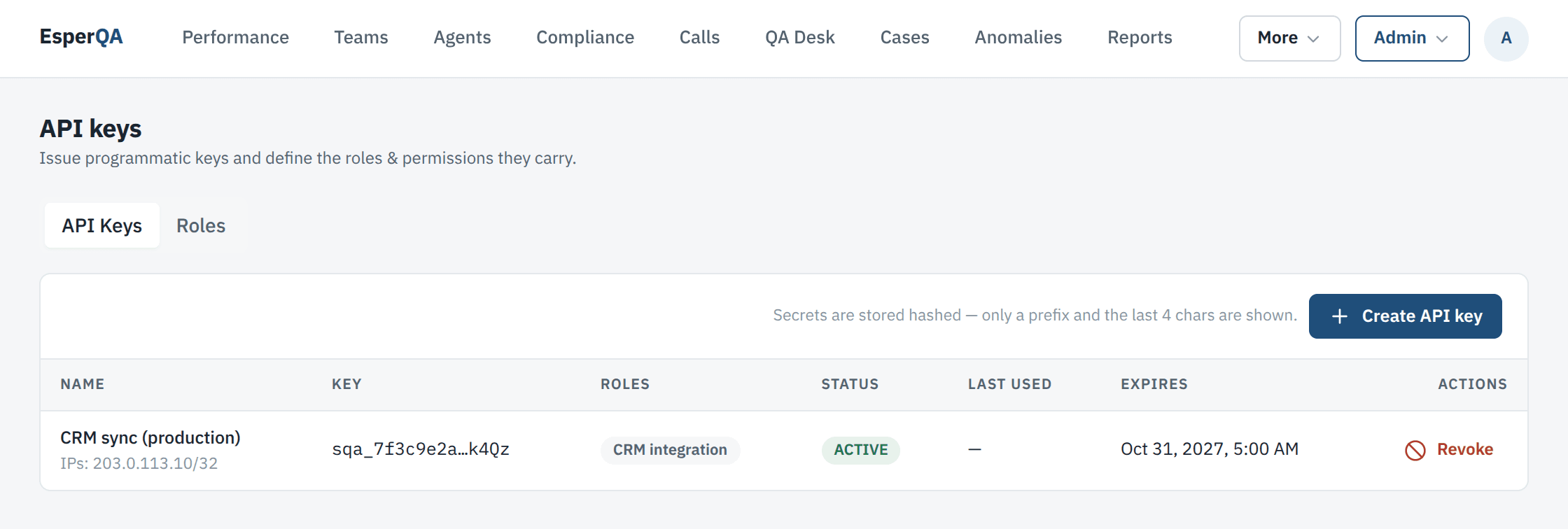
To rotate a key without downtime, create a new key with the same role, switch your system over, then choose Revoke on the old one. A revoked key stops working at once.
Allowed IPs
Section titled “Allowed IPs”A key can be limited to a list of IP addresses or ranges. Requests from anywhere else get
403.
Errors
Section titled “Errors”| Status | Meaning |
|---|---|
401 |
The key is missing, wrong, revoked or expired. |
403 |
The key lacks the permission, or the request came from an IP that is not allowed. |
429 |
Too many requests; wait for the Retry-After seconds. |