Getting started
The Esper QA API is read-only. Every Esper QA deployment serves its own copy at
https://<your deployment>/api/v2: the address you sign in at, for example
https://yourcompanyqa.espersolutions.com/api/v2. The examples below use
your-deployment.espersolutions.com; put your own address there.
1. Get a key
Section titled “1. Get a key”An Esper QA admin creates the key once for each system that reads the API. It takes about two minutes in Admin → API Keys.
-
Create a role. Open the Roles tab and choose Create role. Name it after the system that will use it, and tick only the permissions it needs; see Authentication for what each one unlocks.
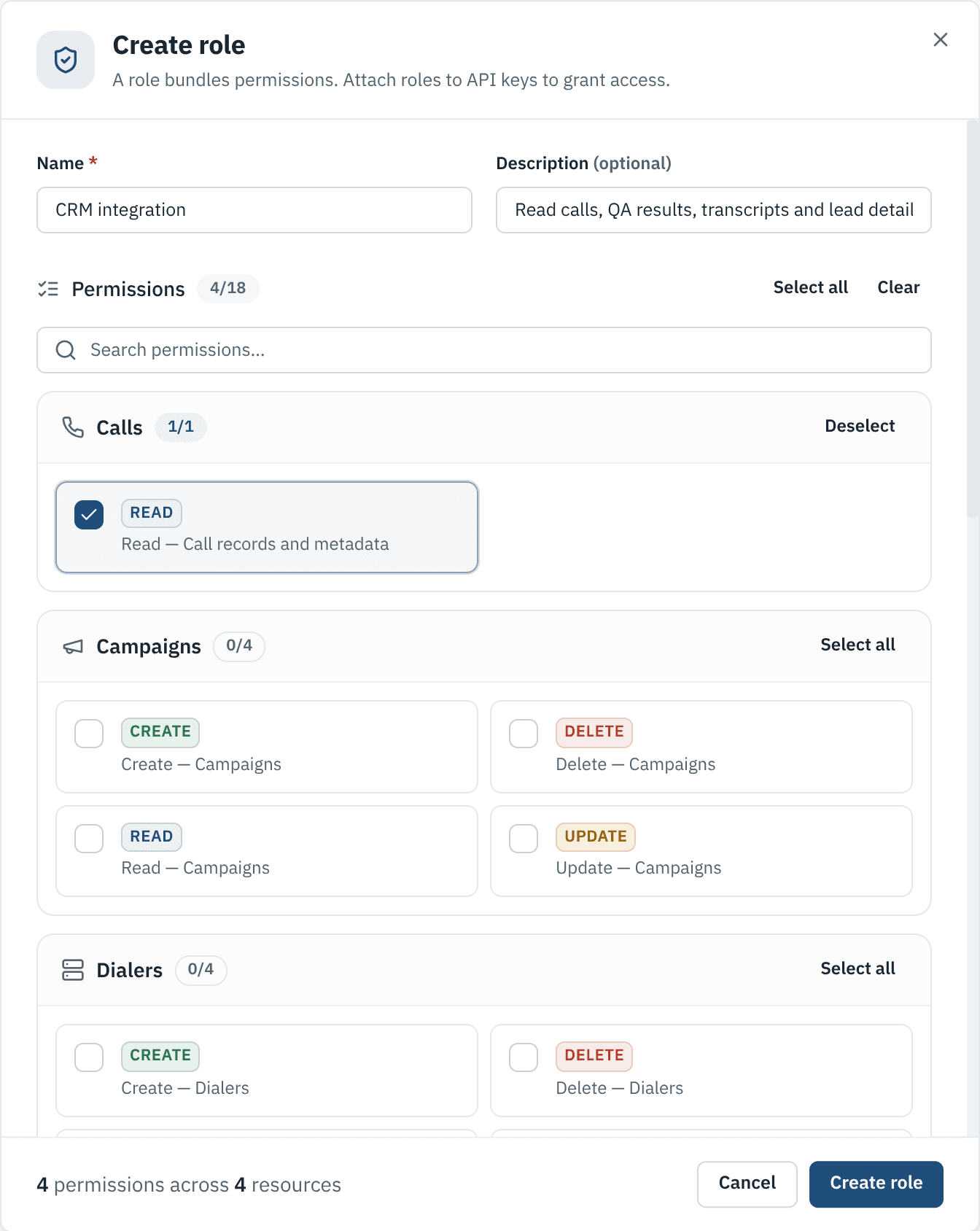
A role bundles permissions. This one can read calls, QA results, transcripts and lead details. -
Create the key. Open the API Keys tab and choose Create API key. Give it a name, pick the role, and set Allowed IPs to the server that will call the API. An expiry date is optional but recommended.
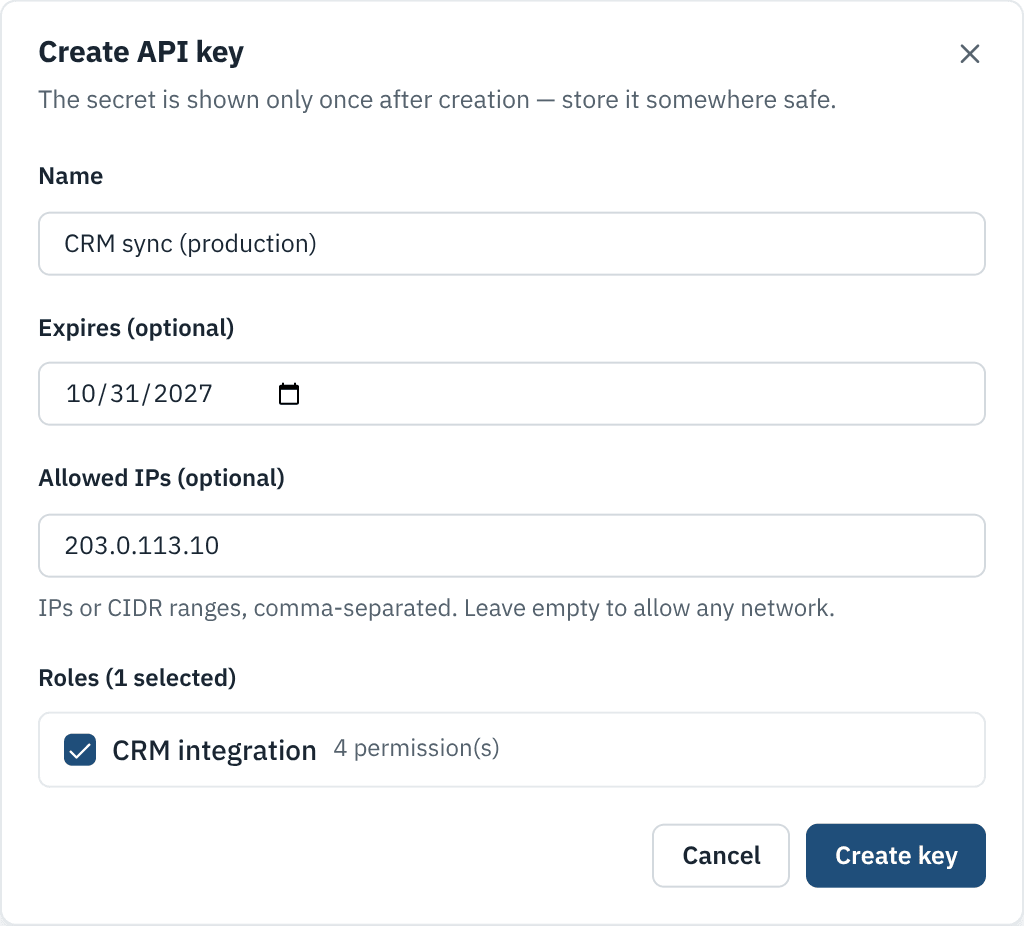
Limit the key to your server's IP address so a leaked key is useless anywhere else. -
Copy the key. It starts with
sqa_and is shown only once. Store it in your secrets manager; if it is lost, create a new key and revoke the old one.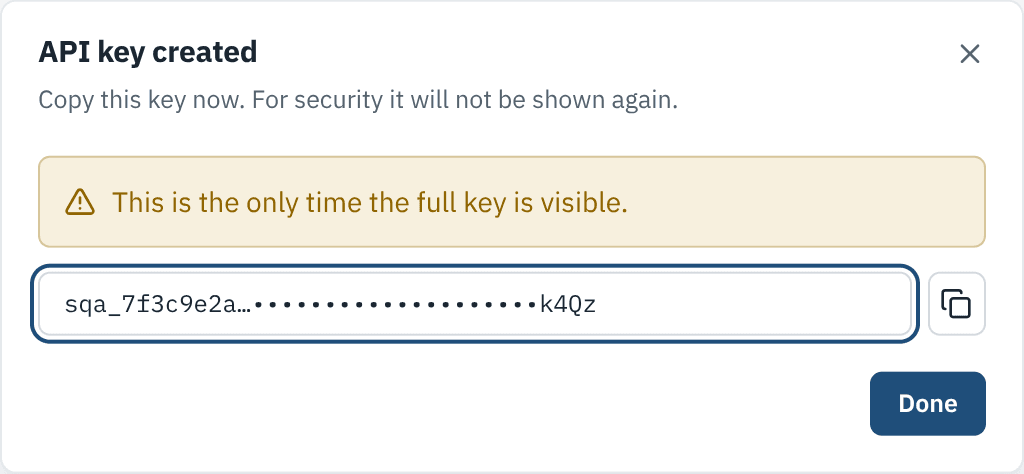
The full key appears only here. Esper QA stores a hash, never the key itself.
2. Check the key
Section titled “2. Check the key”curl https://your-deployment.espersolutions.com/api/v2/meta \ -H "X-API-Key: $ESPER_QA_KEY"/meta answers for any valid key. It returns the deployment’s id, the timezone the daily
figures use and the permissions your key holds.
3. Fetch something useful
Section titled “3. Fetch something useful”Yesterday’s calls where the AI disagreed with the agent’s disposition:
curl -G https://your-deployment.espersolutions.com/api/v2/calls \ -H "X-API-Key: $ESPER_QA_KEY" \ --data-urlencode "ended_from=2026-10-28T00:00:00Z" \ --data-urlencode "ended_to=2026-10-29T00:00:00Z" \ --data-urlencode "disposition_match=false"The agent leaderboard for October:
curl -G https://your-deployment.espersolutions.com/api/v2/performance \ -H "X-API-Key: $ESPER_QA_KEY" \ -d day_from=2026-10-01 -d day_to=2026-10-31 \ -d group_by=agent -d sort=avg_score -d min_scored=20Try it in the browser
Section titled “Try it in the browser”Open the API reference, enter your deployment’s host and your key, and
use Test Request on any endpoint. The request goes from your browser straight to your
deployment; the key is never stored. Your Esper QA admin must first allow this site’s
address in the deployment’s CORS_ORIGINS.